



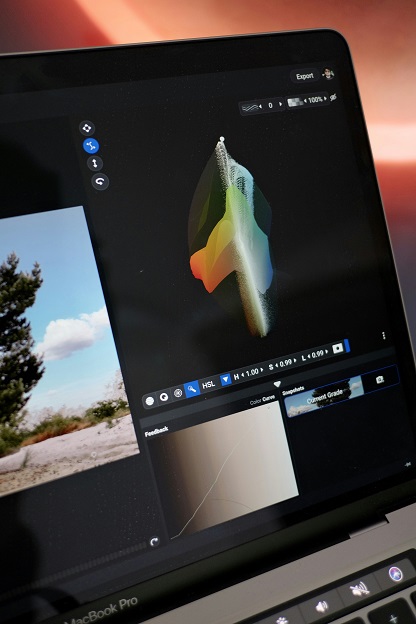
Photo editing software is an essential tool for both amateur and professional photographers, serving to enhance and manipulate images to achieve desired aesthetics. This software allows users to adjust various aspects of photographs, such as color, contrast, brightness, and sharpness, enabling the creation of visually compelling images that can better capture the viewer’s attention.
The importance of photo editing software extends beyond mere aesthetic improvement; it also aids in the correction of flaws and the enhancement of specific elements within an image. For example, photographers can remove blemishes, adjust backgrounds, and apply filters to create a certain mood or atmosphere. Whether it is for personal use, social media sharing, or professional portfolios, having the right editing software significantly contributes to the overall quality of the final output.
There is a broad range of photo editing software available in today’s market, catering to different skill levels and needs. High-end programs like Adobe Photoshop, often used by design professionals, offer extensive features and capabilities for detailed editing. However, for beginners or those seeking simpler options, there are user-friendly applications that provide essential editing tools without the complexity, such as scaling down exposure, cropping photos, or applying basic filters. Many of these applications can be easily navigated and require minimal technical knowledge, making them ideal for novice users.
The availability of both professional-grade and simple photo editing software ensures that individuals at any level can engage in photo editing. With the right tool, users can effectively enhance their photographs, transform ordinary images into extraordinary visuals, and express their creativity in innovative ways.
Top Simple Photo Editing Software for Windows 10
For users seeking to enhance their photographic collections without the steep learning curve of complex software, a variety of simple photo editing software options are available for Windows 10. These tools cater to different levels of expertise, from beginners to casual photographers who only need basic editing functionalities.
One of the leading choices is Adobe Photoshop Elements, which serves as a user-friendly alternative to Adobe Photoshop. Offering essential features like auto-enhance, collage creation, and guided edits, this software is ideal for users who want professional quality without overwhelming complexity. It is particularly suitable for those who may not be familiar with the intricacies of more advanced programs.
Another excellent option is Paint.NET, which stands out due to its simplicity and effectiveness. This free software mimics some of the functionalities of Photoshop but in a more approachable format. With layers, special effects, and an intuitive interface, Paint.NET is a great choice for users looking to perform straightforward edits, such as cropping or color adjustments.
For those seeking a robust online option, Canva should not be overlooked. While primarily known for graphic design, Canva’s photo editing capabilities are noteworthy. Its drag-and-drop interface makes it accessible to everyone, and it offers numerous templates and effects, making it a favorite for social media enthusiasts and small business owners.
PhotoScape is another noteworthy program, particularly for those interested in batch editing. With features that allow users to edit multiple images simultaneously, create GIFs, and add fun filters, PhotoScape is suitable for a broad user base.
In the landscape of simple photo editing software for Windows 10, tools like Adobe Photoshop Elements, Paint.NET, Canva, and PhotoScape provide a valuable blend of functionality and ease of use, catering to varying user needs.
Features to Look for in Simple Photo Editing Software
When searching for simple photo editing software for Windows 10, several essential features should be prioritized to ensure an efficient and effective editing experience. The primary focus should be on tools that provide basic adjustments, including brightness, contrast, and cropping. These fundamental capabilities enable users to quickly enhance their images without overwhelming complexity.
In addition to basic adjustments, special effects and filters are vital elements that can significantly enhance the aesthetics of photos. A user-friendly software should offer a variety of pre-set filters, enabling users to apply stylistic effects with ease. This feature is particularly beneficial for beginners who may not possess extensive knowledge of photo editing techniques but wish to explore creative options.
Another critical aspect to consider is the user interface of the photo editing tool. A straightforward, intuitive interface greatly contributes to the overall user experience. The arrangement of tools should be logical, allowing users to locate essential features rapidly. Menus and buttons that are clearly labeled can ease navigation, making the software suitable for both novices and those with some experience.
Moreover, the presence of tutorials or help sections within the software can facilitate the learning process for beginners. Guidance on how to use various tools and features can empower users to leverage the software more effectively, ultimately leading to better results.
In conclusion, when selecting simple photo editing software, it is imperative to pay close attention to basic adjustment tools, special effects options, an intuitive user interface, and available educational resources. These features collectively contribute to a streamlined editing process, making photo enhancement accessible to users of all skill levels.
Getting Started with Photo Editing: Tips and Tricks
Embarking on a journey into the world of photo editing can be both exciting and overwhelming. To ease this process, it is crucial to start with a structured approach. First and foremost, organizing your images is vital. Create a dedicated folder for your photographs on your computer and categorize them based on events, dates, or subjects. Whether you are sorting professional shots or fun snapshots taken at an ai photo booth, this systematic organization will save you time and effort when searching for specific images during the editing process.
Once your images are organized, familiarize yourself with the features of your chosen simple photo editing software. Many programs offer essential tools such as cropping, color adjustment, and filters. Begin with basic editing techniques like adjusting brightness and contrast, which can significantly improve the overall appearance of your photos. Learning how to resize and crop images effectively will also enhance their composition and focus, drawing attention to the most important elements in the photograph.
As you become more comfortable with basic edits, consider exploring creative ideas to elevate your skills. Experiment with different filters and effects, but do so sparingly to maintain the original essence of your photo. Consider utilizing features such as collages or photo merging to tell a story or convey a message through your images. Play around with layering techniques to create depth and drama, which can make your photos stand out.
Furthermore, practice is essential for honing your photo editing skills. Regularly set aside time to edit your images and explore new techniques. There are numerous online tutorials and communities dedicated to photo editing that can provide valuable insights and feedback. Sharing your work with others can also inspire you and fuel your creativity. By following these tips and continually refining your approach, you will pave the way for an enjoyable and fulfilling photo editing experience.